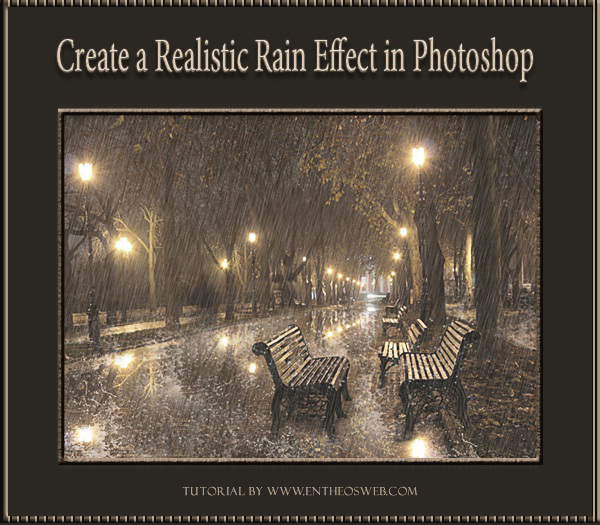
In this tutorial, we will learn how to create a realistic rain effect in Photoshop. You will also learn how to create a reflection and a water splash effect. At the end of the tutorial you can also buy a ready-made rainy day Photoshop action to get a rainy effect on your image within a few seconds!
Program: Photoshop CS5
Estimated Completion Time: 20-30 Minutes
The following assets were used during the production of this tutorial.
Step 1
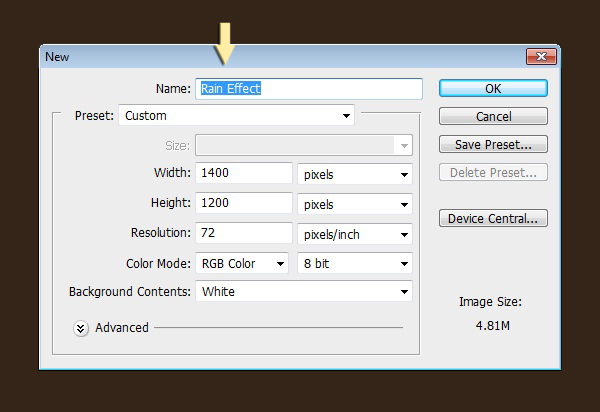
Create a new document with Width 1400px and Height 1200px.
Step 2
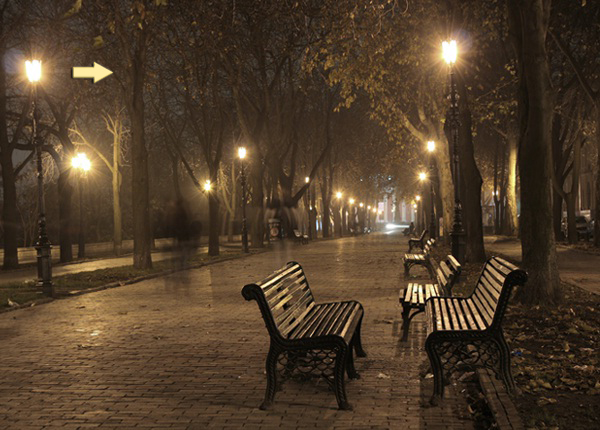
First of all, open the image on which you want to apply the rain effect. Click Ctrl+ A to select the image, then press Ctrl+ C to copy it. Finally, go to the new document and click on Ctrl+ V to paste this image in a new layer. Press Ctrl+ T to resize according to your requirement.
Step 3
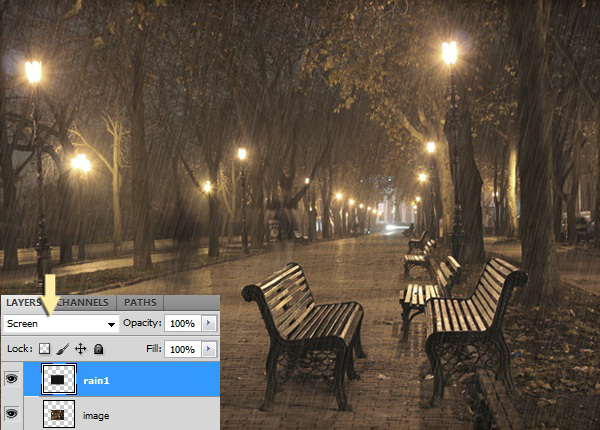
Firstly, we’ll create rain then its detailing. To do so, create a new layer above the image layer. Fill it with # 000000 color using ‘paint bucket tool’ and label it as ‘rain1’. Then go to Filter> Add noise and use the following values.

Step 4
After that, go to Filter> Blur> Motion blur and use the following settings. You can adjust the angle depending upon in which direction you want to display the rain.
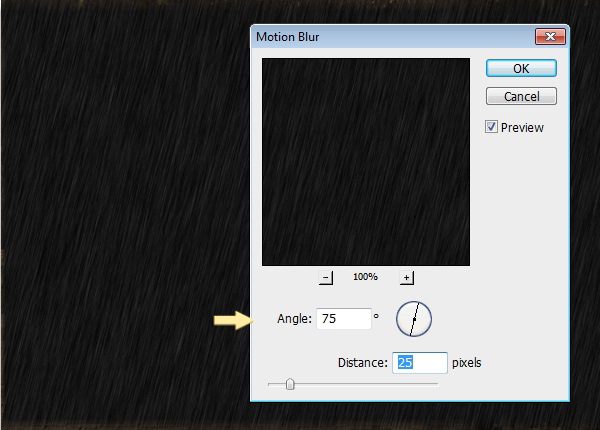
Set the blending mode of this layer to ‘screen’.
Step 5
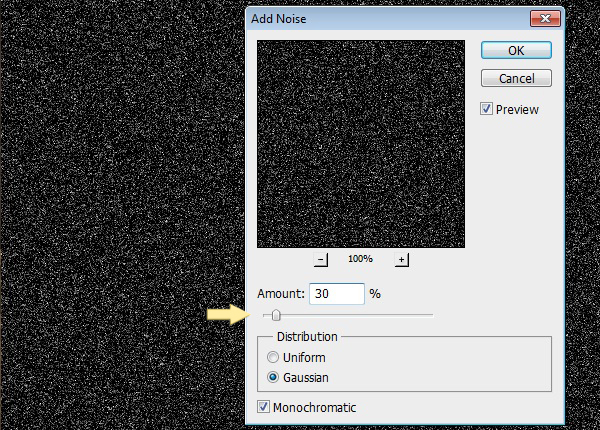
Create a new layer at the top, label it as ‘rain2’. Fill it with # 000000 color using ‘paint bucket tool’. Then go to Filter> Add noise and use the following settings here.
Step 6
After that, go to Filter> Blur> Motion blur and use the following values. Keep the angle same as of rain1 layer but reduce the distance to make clearer and thicker rain impact as rain2 is going to serve as front rain layer.
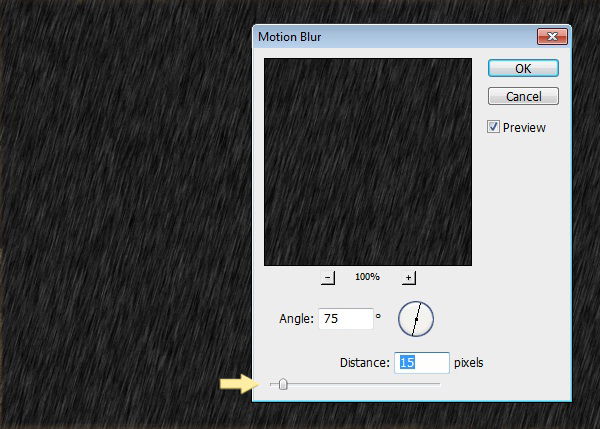
Set the blending mode of this layer to ‘screen’ and opacity as 70%.

Step 7
Next, we’ll create patchy reflection of water on the road. For this, go to Layer> Duplicate layer to preserve original image and now we’ll work on its copy.
Select the ‘quick selection tool’ to make selection of the road. You can also use ‘pen tool’ to make selection.
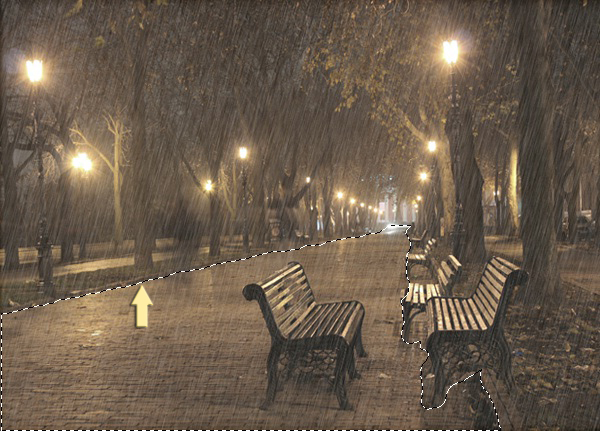
After that, click on the ‘Add layer mask’ icon present at the bottom of the layers panel. Road should appear white in the mask and rest of the area in black.
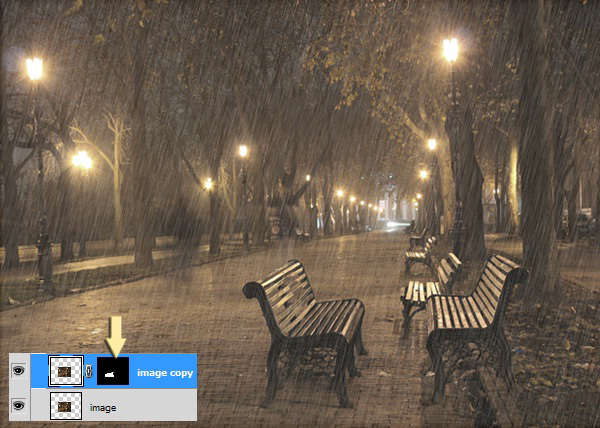
Step 8
Now click on the chain shape visible between the image copy and layer mask to unlink both. After that, click on the thumbnail of the image on this layer and then go to Edit> Transform> Flip vertical. Use the ‘move tool’ to position the reflection correctly.
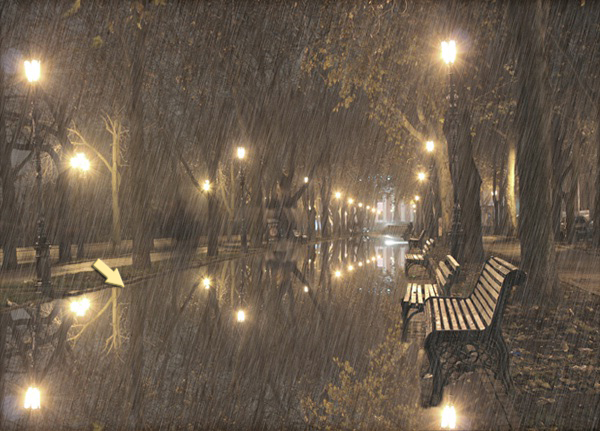
Step 9
Next, go to Layer> Layer mask> Apply. Then again go to Layer> Layer mask> Hide all. Now select the ‘eraser tool’ and erase patches on the road. You will get reflection on the area you erase by doing so.
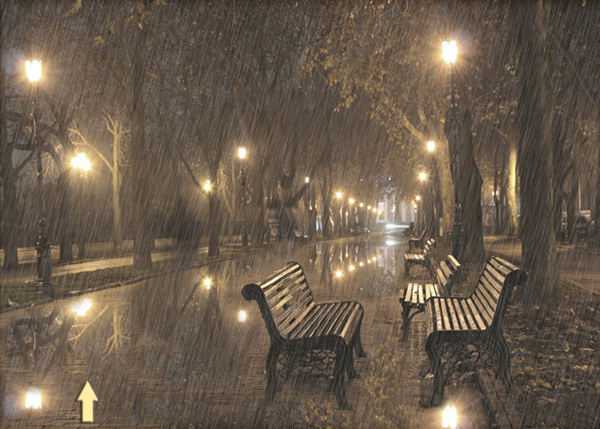
Step 10
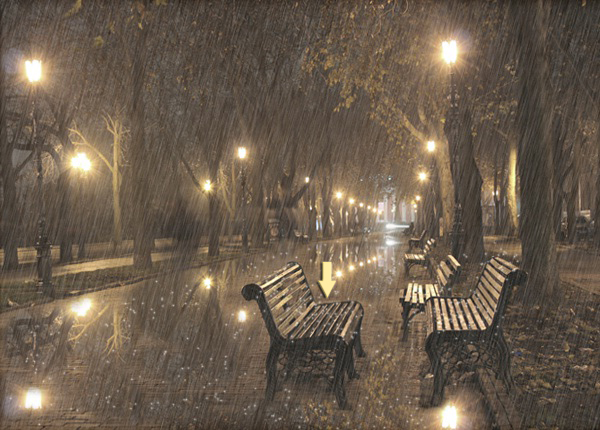
Now we’ll create rain spatter effect. Create a new layer below rain1 and rain2 layers. Set # ffffff as your foreground color. Select the soft round brush tool and open the brush panel, use the following settings here.
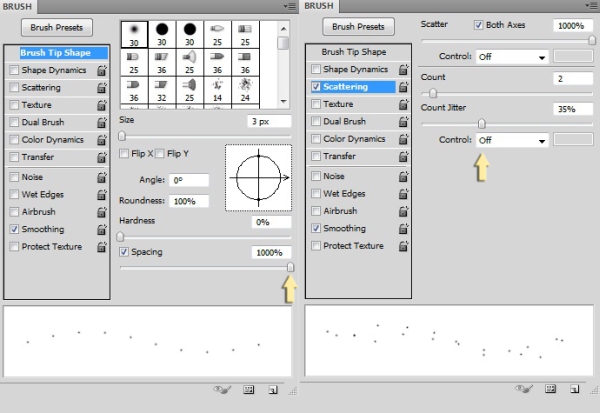
Now apply the brush on the bench to show rain drops are bouncing off and on the road. Reduce the opacity of this layer to 60%.
Step 11
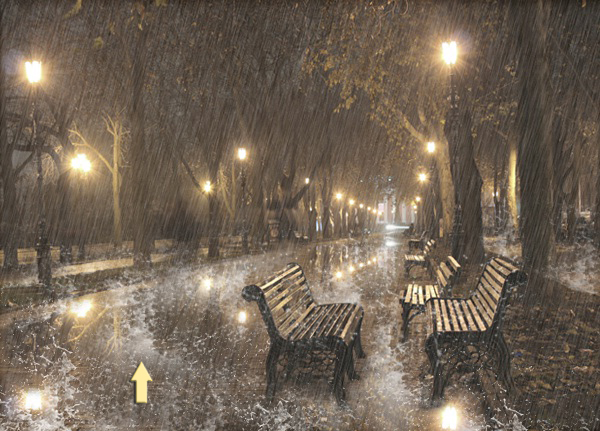
Create a new layer below ‘rain spatter layer’. Use the water splash brushes nicely on the road. You can use these brushes in 2-3 layers in patches to edit them easily in order to make any adjustments later on. Here we’ll use splash brushes on the side roads as well, which are not clearly visible though in our image. After we are done with the water splash effect, collect water splash layers in a group.
Step 12
Now change the blending mode of this water splash group to ‘Linear dodge (add)’ and reduce opacity to 60%. That’s it. We are all done here with the rain effect.
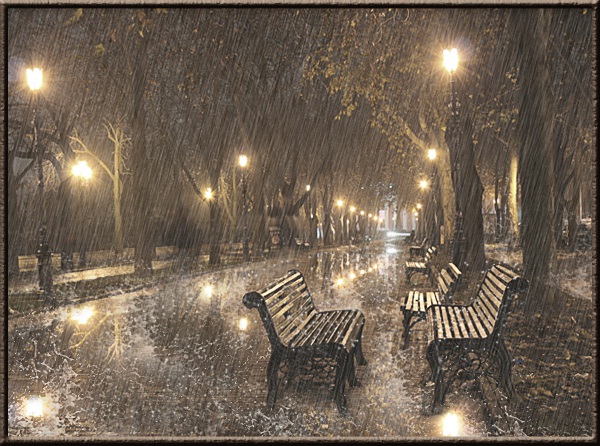
Hope you guys enjoyed learning this realistic rain effect. We’ll be waiting for your feedback.
Here is a ready-made rainy day action that is available for purchase, you can apply this action to your photography and get a rainy effect within a few seconds!